Electronic Tender Submission: Keep Proof of What You Uploaded
Prepare for issuer-specific upload rules and retain a reliable submission log, final-file inventory and confirmation receipt.
At a glance
Follow the issuer's authorised electronic-submission instructions, upload early enough to resolve problems, and retain proof of the final submitted files and confirmation—not merely a successful login.
This is independent guidance from TenderSearch SA, not advice from a government authority. Verify current requirements with the issuer and these official references: National Treasury eTenders: official notices · Eskom diesel invitation: electronic-submission instructions (published example, not a current invitation).
Publication and submission can happen on different sites
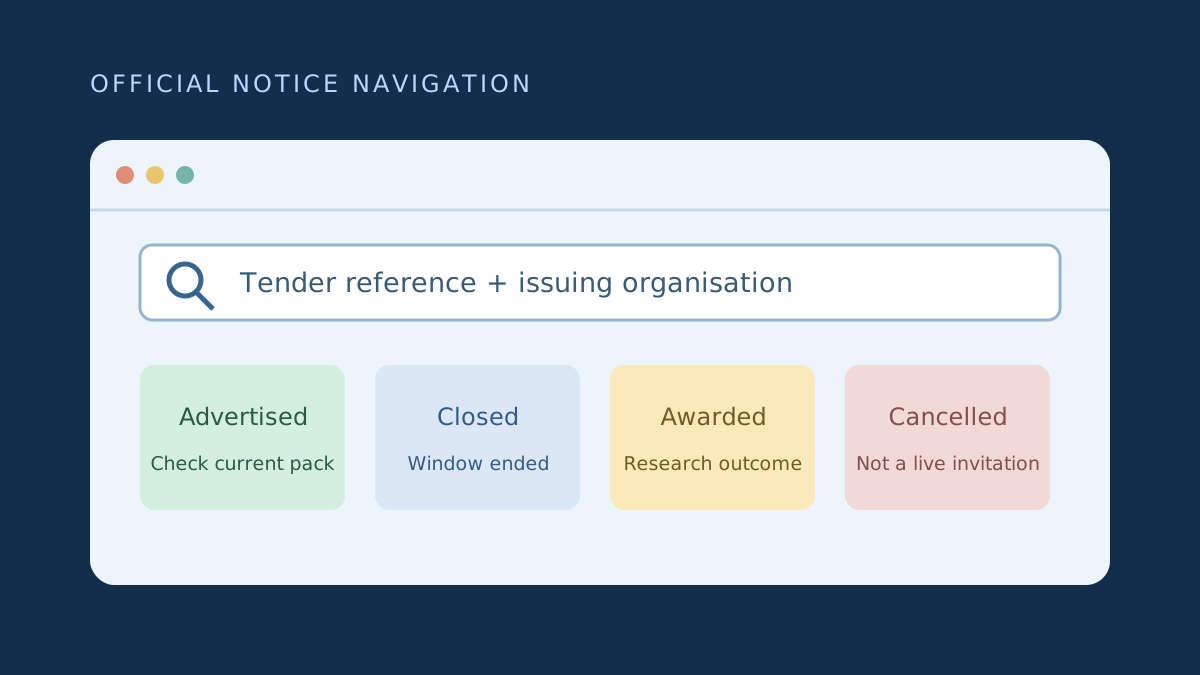
Finding a notice on eTenders does not mean the bid is submitted there. The issuer may prescribe its own procurement portal or another specific channel. Read the actual invitation, submission manual and amendments before creating an account or sending documents. Email is acceptable only where the issuer authorises it; sending a copy to a contact person is not a safe substitute for the required submission.
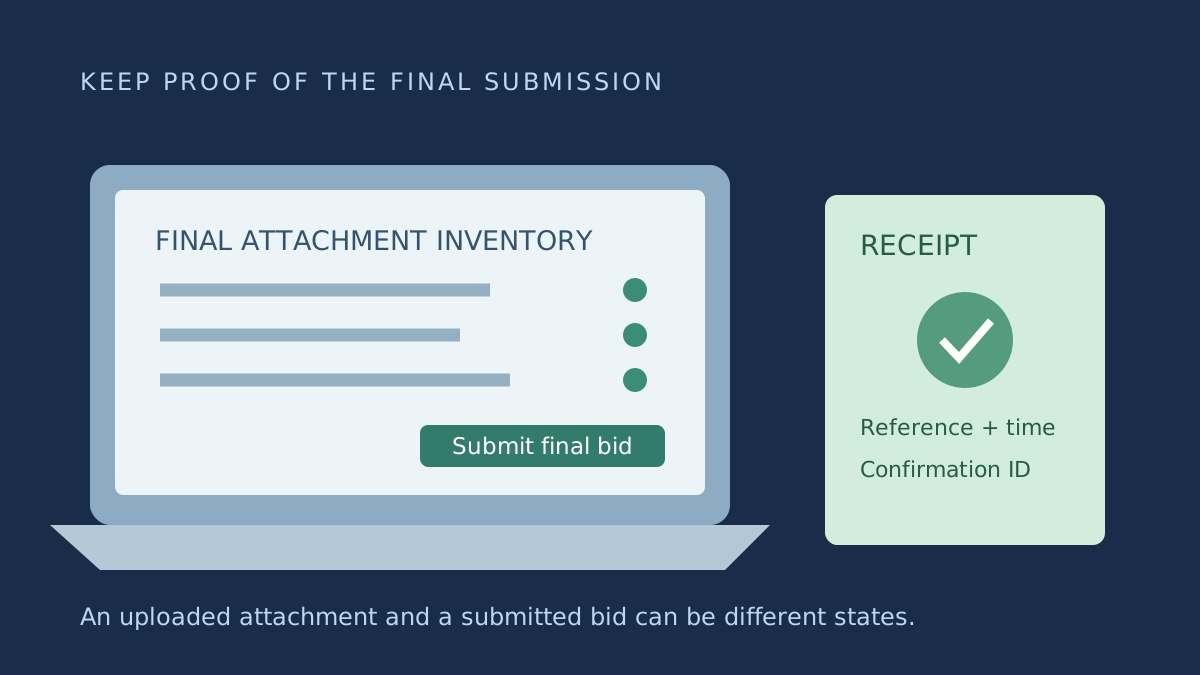
Record the official closing date, exact time and stated time zone. Do not assume that an upload started before closing will complete or count as submitted. A portal's saved draft, uploaded attachment and final submission confirmation can be separate states. Learn that distinction while there is still time to ask for help.
Test access before the deadline day
Confirm that the right legal entity is linked to the portal account and that the authorised submitter can sign in, receive verification messages and access the correct tender. Set up a second authorised colleague where the platform permits it; do not share passwords indiscriminately. Check whether a supplier-registration approval must be completed before uploading is possible.
Read file limits, supported formats, naming rules and any separation between technical and commercial envelopes. Some systems require information entered into fields as well as attached PDFs. Prepare an upload map showing each required field or slot, its corresponding final file and the person responsible for checking it.
Use a genuinely final local folder, not a mixture of drafts. Check PDF legibility, orientation and completeness. If signatures or certifications are required, verify that scanning or merging has not cut off a page. Test password-protection and compression choices against the portal instructions rather than assuming every PDF will be accepted.
Create a submission evidence log
Record tender reference, account entity, submitter, file name, version, size, upload time, final submission time and confirmation identifier. Save the final files and the system-generated receipt. Where available, export the portal's attachment list. Screenshots can supplement the record, but should not replace a downloadable receipt or hide the actual submission state.
Illustrative example: the portal shows three uploaded attachments, but the bid remains in draft until the user selects a final submission action. The team checks the status, receives a confirmation number and records it beside the exact file inventory. A screenshot of the earlier upload screen alone would not demonstrate that the final action occurred.
Plan for replacement and failure scenarios
If the instructions allow revisions before closing, learn whether replacing an attachment withdraws a submission, creates a new version or requires resubmission. Keep the earlier and later receipts and clearly identify which version was final. Do not assume a file replacement is complete until the platform confirms the required state.
For an error, capture the time, message and affected step without exposing passwords or tokens. Contact the official help channel promptly and retain the ticket. Continue to follow the issuer's instructions; a support request does not itself extend a deadline or authorise an alternate channel. Only rely on a formal amendment or direction that actually applies to the process.
Check the downloaded final bundle where possible
If the portal allows you to download submitted files, compare that copy with your final local version and attachment list. Check that file names, page counts and technical-versus-commercial placement are correct. Do not rely on a familiar file name when several drafts used the same name. Where the platform does not offer a download, preserve the final local files and the fullest confirmation evidence it provides.
Close the loop after submitting
Have another authorised team member compare the confirmation, tender reference and file inventory with your submission map. Preserve the submitted bundle in a read-only folder and restrict access to commercially sensitive material. Record any subsequent issuer correspondence separately so it is not confused with changes you made before closing.
Early submission is a risk control, not a guarantee against every outage or rejection. The correct lead time depends on file size, connectivity, registration requirements and the issuer's system. Choose an internal deadline that leaves time for a complete re-upload and review. Avoid unsupported claims that every portal accepts late bids after an outage; your actual remedy depends on the facts and applicable rules.
- Confirm official platform and account entity.
- Map slots, limits and file formats.
- Verify final submission, not just upload.
- Save exact files and receipt.
- Keep error tickets without assuming an extension.
Frequently asked questions
Is an upload screenshot enough?
Not necessarily. It may show a draft or an attachment upload rather than final submission. Retain the issuer's receipt, status and final attachment inventory where available.
Can I email my bid if the portal fails?
Only if the issuer authorises that method for the tender. Report the failure through the official channel; do not assume an email or ticket preserves a late submission.
Found this useful? Share it with another business — it costs you nothing and helps us reach more South African bidders.
Put your bid preparation into practice
Browse public tender previews, check the official requirements, then shortlist opportunities that fit your business. Starter is R149/month for search and saves. Professional at R299/month adds daily keyword email alerts, unlimited saves and closing-date reminders.
Compare tender subscription plans